
Access control
Passkeys and Google sign-in, roles scoped per area of Telark, and per-action deny rules such as "may edit plans but not approve them".
A tool that can freeze or roll back production needs finer control than "admin or not". The person who writes a freeze plan should not always be the one who approves it, and an auditor should see everything without changing anything.
What you get
- Sign-in with passkeys (WebAuthn) or Google single sign-on. No passwords.
- Roles that grant a level per area of Telark: applications, protection plans, insights, settings, users, groups, roles.
- Deny rules that withhold one action while keeping the level, for example Contributor on protection plans without the right to cancel them.
- Groups, so a role is assigned once to many people.
- Time-bound roles that expire on their own.
- Everything managed under Administration in the dashboard and stored as Kubernetes resources in the release namespace.
How it works
Sign-in
Passkeys. A user registers a platform or security-key passkey and signs in with it. Who may register:
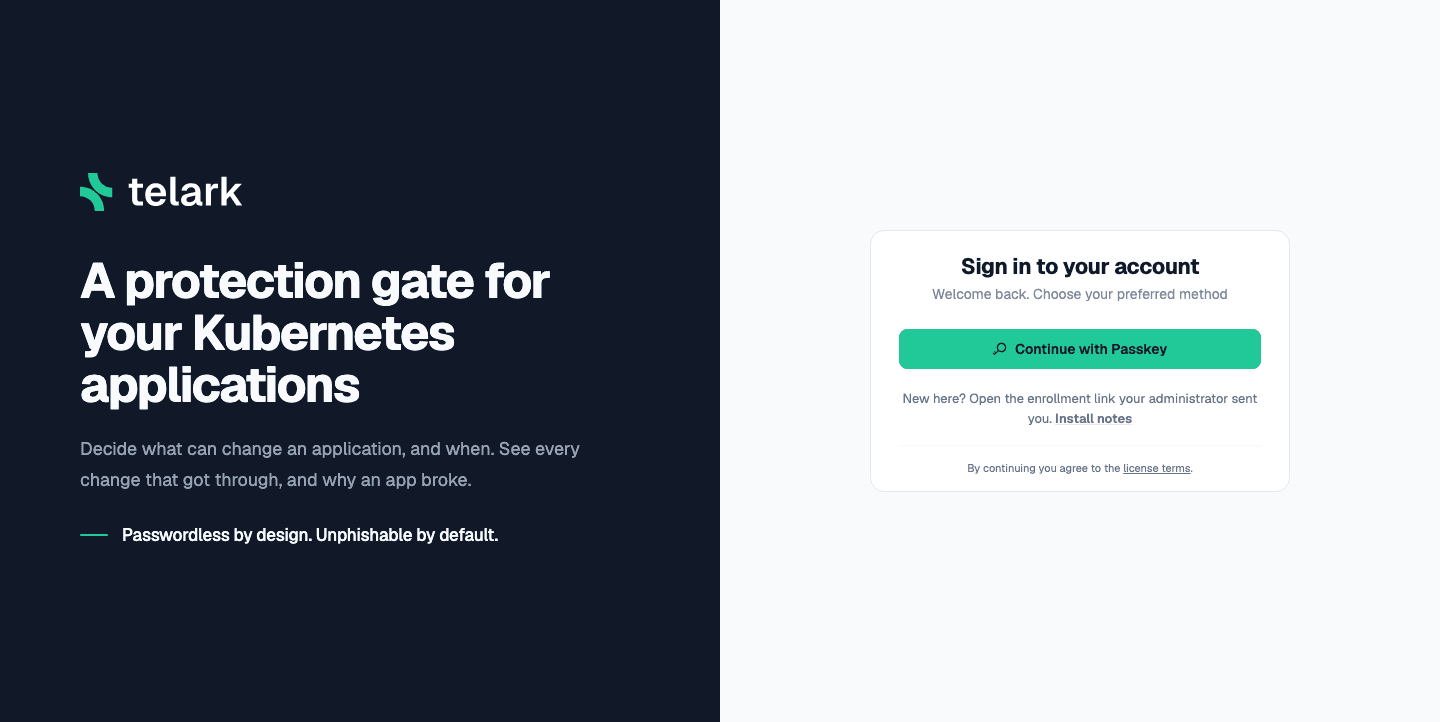
- a signed-in user, for their own account (to add another passkey);
- the holder of a one-time enrollment link: one from
Add on another device (valid 10 minutes), an operator's
break-glass --enroll(valid 10 minutes), or one created for them from Members (enrollment links); - anyone with an email that has no account yet, while self-registration is on.
Browsers offer passkeys only on https:// or http://localhost. Behind
an Ingress or Gateway, set app.auth.passkey.id and
app.auth.passkey.origin to the dashboard's public domain.
Self-registration. Off by default. The bootstrap admin turns it on
in Settings, next to Single Sign-On. While it is on,
anyone who reaches the dashboard can create a ReadOnly account with a
passkey, so leave it off unless only people you trust can reach the
dashboard. The setting lives on the TelarkConfig, not in the chart,
and takes effect within about 5 seconds, without a restart.
Google. The bootstrap admin turns it on under Settings → Authentication with a Google client ID. The dashboard receives Google's ID token and the auth service checks its signature, audience, issuer, expiry, a single-use nonce and that Google verified the email. There is no client secret and no code exchange. The signing keys come from Google, or from a pinned key set when the cluster has no egress to Google. An unknown email gets a new ReadOnly account, whatever the self-registration setting.
Sessions. A successful sign-in sets the session cookie:
HttpOnly (no script reads it), Secure, SameSite=Strict and
host-only. It is named __Host-telark_session (a browser accepts it
only from the dashboard's own host) when every app.auth.passkey.origin
entry is https://, else telark_session, so switching the origins
between http and https signs everyone out once. Its token is 32 random
bytes, valid 24 hours
(SESSION_EXPIRY), with no sliding refresh, and never appears in a
response body or a URL. API clients send the token in the
X-Session-Token header instead. A change sent with the cookie needs the
X-Requested-With header, which the dashboard adds, and two session
cookies at once count as none. Telark stores only the token's hash, as a
Session resource named session-<sha256>. Users list and revoke their
sessions under Settings. Safari drops Secure cookies on
http://localhost, so sign in through a port-forward with Chrome, Edge
or Firefox.
First admin. Telark has exactly one bootstrap admin: set its email
with app.auth.bootstrap.admin at install. The chart refuses to render
with it empty, and the auth service refuses to start. Only the bootstrap
admin can change the sign-in settings (Single Sign-On and
self-registration). Everyone else, Admins on ALL included, sees them
read-only. The bootstrap admin holds the built-in Admin role and nothing
more, and is created and recovered only with a passkey enrolled by the
operator:
kubectl exec -n telark deploy/telark-auth-service -- \
  ./main break-glass --email test@example.com --enroll
then opening the enrollment link it prints, within 10 minutes. The command accepts only the bootstrap admin's email and refuses any other, without creating or changing an account. The account's first passkey pins it: from then on the command opens a recovery request instead of acting. Google sign-in and self-registration never grant Admin: new accounts are ReadOnly, even with the bootstrap email. Once others have signed in, give at least two regular users the Admin role, directly or through a group.
Other users see the bootstrap admin only as Bootstrap account, with no username, full name or email: in member pickers, group lists, history, notifications and Settings → Authentication. The Members page doesn't list it. Only the account itself sees its own details.
Recovery requests
Once the bootstrap account is pinned (status.bootstrap of the
TelarkConfig), break-glass --enroll opens a request, or prints the
open one: its id, the request's page
(https://<host>/break-glass#request=<id>&kind=<recover|replace>, where
kind only sets what the page shows) and when it completes on its own.
The bootstrap account gets a notification, and so does every Admin on
ALL while break-glass alerts are on. Settings → Authentication
lists the request under Break-glass requests.
- The bootstrap account decides with one of its passkeys, on the request's page (signed in or not) or in Settings → Authentication. Deciding signs nobody in.
- A recovery, for the pinned account's own email, can only be denied.
It completes on its own once the wait has passed since it opened (24
hours by default,
app.security.breakGlass.waitHours), unless the bootstrap account signs in first or denies it. - After a change of
app.auth.bootstrap.admin, the request is a replacement. It completes when the bootstrap account approves it, or after the same wait. Once completed, it moves the bootstrap role to the account with the new email. The previous account keeps its roles, so the new bootstrap admin can demote it, and neither account loses a passkey. - A sign-in by the bootstrap account cancels either, so whoever ran break-glass cannot wait out an owner who is around.
- After the wait, or a replacement's approval, run the command again to complete the request. One run works at a time: another one stops at once.
- A recovery goes link first, wipe after. The run prints a 10-minute enrollment link and waits, up to about 12 minutes, for a passkey registered with it, so keep it running. The account keeps its passkeys meanwhile, but cannot sign in or deny the request. Once the new passkey is saved, the run removes every other passkey and session of the account and completes the request. If the link expires unused, the account keeps its passkeys and the request stays open: run the command again for a new link. If a sign-in or a deny begun before the run cancels the request while it waits, the run stops with exit 1 and the account keeps its passkeys: run the command again to open a new request.
- For 24 hours after a replacement completed, until the new account has a passkey, each run prints a fresh link without a new request.
- Without
--enroll, the command prints the pinned account and the newest request, and changes nothing.
Break-glass alerts are the bootstrap account's choice: a switch in
Settings → Authentication, on by default, that only the bootstrap
account sees and can change. Admins on ALL see only a Break-glass
requests card there, without the pinned account, the switch or the
Approve and Deny buttons, and only while the switch is on. Turned off,
the notifications of a request opened or canceled go to the bootstrap
account alone, and so do the requests. A link break-glass is
issuing and a completed request reach every Admin on ALL either way,
since either can mean the account changed hands. Turned back on, the
switch shows them the requests again, without notifications for what
happened meanwhile.
Someone else holding a passkey of the bootstrap account cancels each request with every sign-in, so the owner cannot recover through Telark. A cluster admin then resets the pin (Troubleshooting).
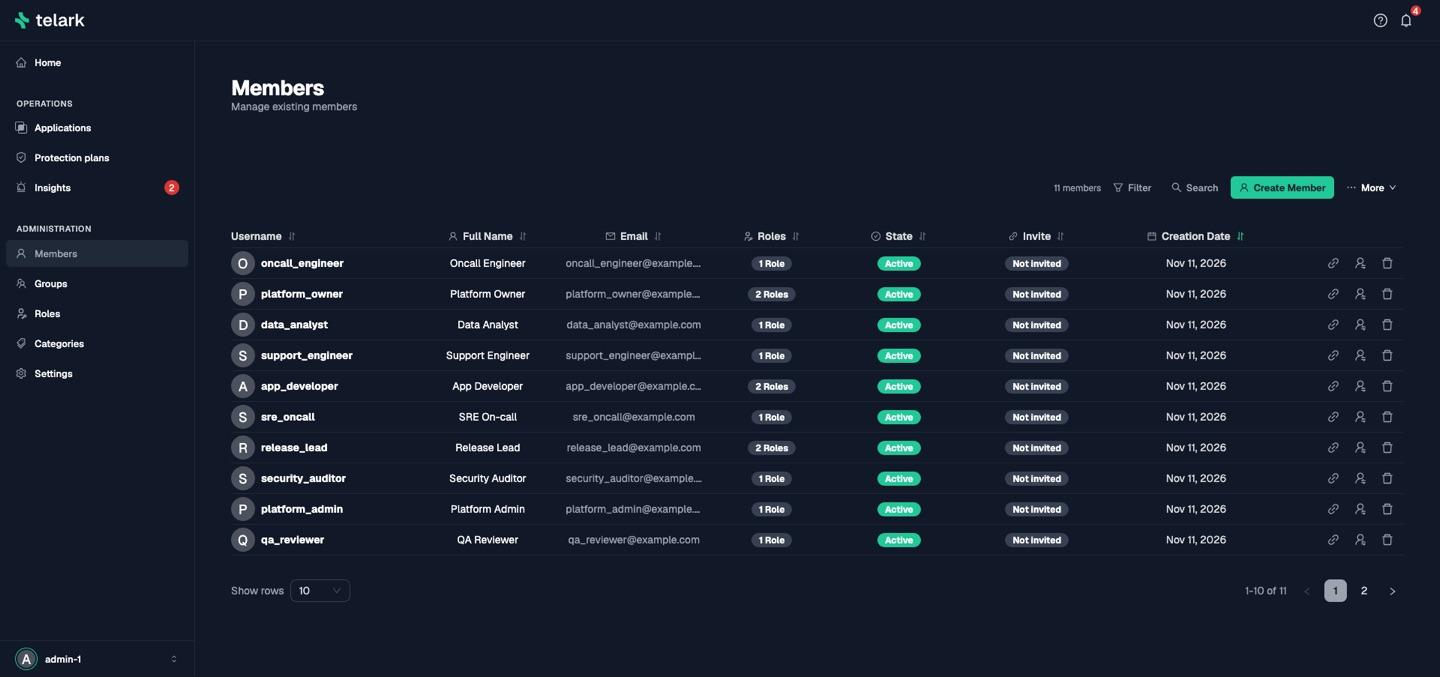
Enrollment links
To give someone an account without turning on self-registration, create
it under Administration → Members, then choose
Create enrollment link on its row. The dashboard shows the link,
https://<host>/register#enroll=<token>&email=<email>, once, with a copy
button and its expiry. Whoever opens it registers a passkey on that
account, with the account's email already filled in.
- The link registers one passkey, only for that account, and expires
after an hour by default (
services.auth.env.ENROLL_INVITE_TTL_SEC, in seconds). A canceled or failed passkey prompt doesn't use it up. - A new link revokes the previous one, and Revoke enrollment link ends it early.
- Until the user enrolls, Members shows Invite pending, or Invite expired once the link has lapsed. Once a passkey closes the link, it shows Enrolled.
- Telark stores only the token's SHA-256 digest. The token rides in the
URL fragment, after
#, so the browser never sends it to a server. - Links issued before the upgrade to 0.2.0 stop working: create new ones (Upgrade notes).
Creating a link needs Owner on users, for an account whose
permissions, direct and through its groups, are all within your own on
every scope. Nobody creates one for themselves (use
Add on another device), for the bootstrap admin (break-glass only), or
for a suspended or deleted account, and an administrator account answers
404 to a caller below Admin on ALL. A link for an account that
already has a passkey is an account recovery: only the bootstrap admin
or an Admin on ALL can create it, and the account owner gets a
notification when it is created and when a passkey is added through it.
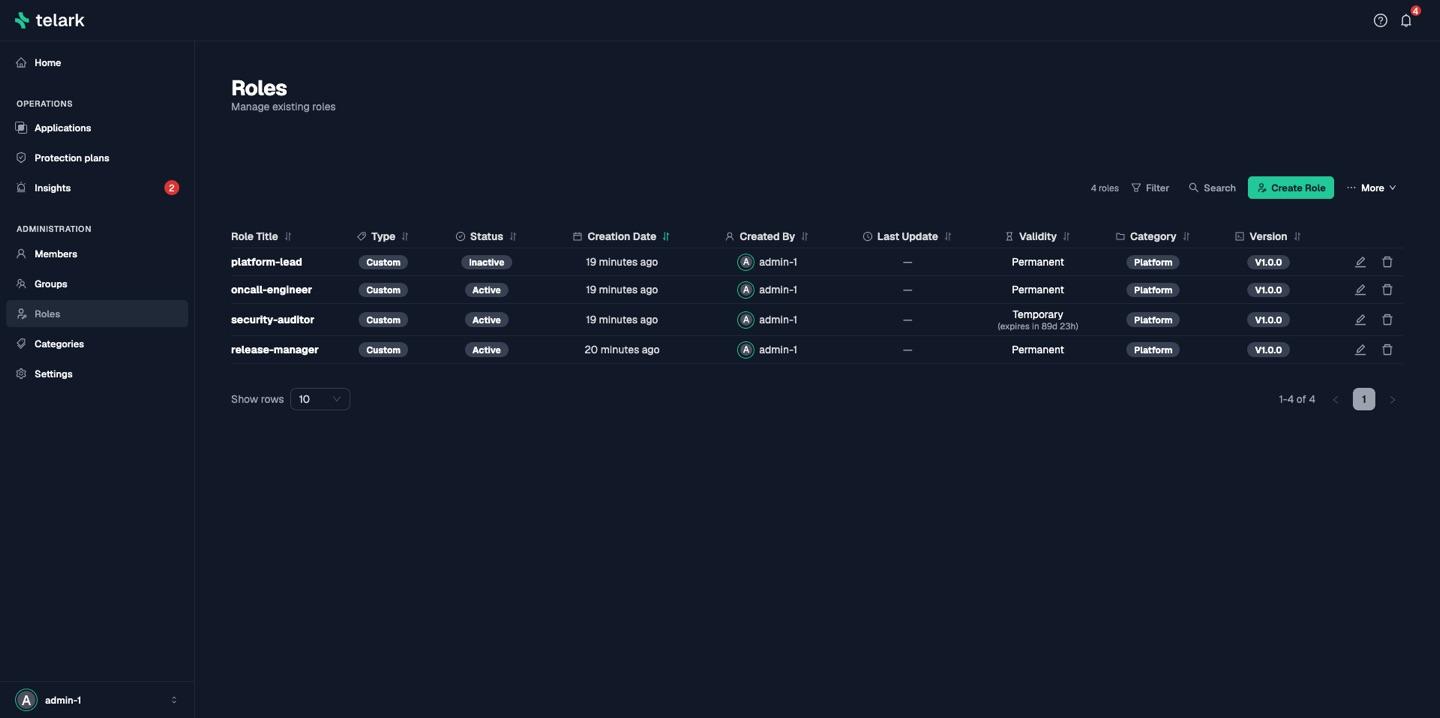
Roles
A role (AccessRole) is a list of entries, each a scope, a
level and optional deny rules:
scopesAndPermissions:
  - scope: protection-plans
    level: Contributor
    rules:
- protection-plans.cancelprotectionplan.deny- Scopes:
applications,protection-plans,insights,settings,users,groups,roles, orALLfor every scope. - Levels:
ReadOnly<Contributor<Owner<Admin. A level covers every lower one. - Deny rules:
<scope>.<action>.deny. A deny rule from any role the user holds wins over every level, Admin included.
A user's grants are the roles assigned to them plus the roles of every group they belong to: the highest level per scope, and every deny rule. Only active users and active, unexpired roles count. Every service checks the caller's grants on every request; a hidden button in the dashboard is not the boundary.
Built-in roles
| Role | Grants |
|---|---|
| Admin | Admin on ALL: everything except the sign-in settings. Only admins see other administrator accounts. |
| Owner | Owner on every scope: Contributor plus deletes, role and group assignments, plan approvals, and the analyzer settings. |
| Contributor | Contributor on every scope: create and edit plans, users, groups and roles, trigger rollbacks and syncs, analyze and triage insights, edit discovery and snapshot settings. |
| ReadOnly | ReadOnly on every scope: read everything, change nothing. |
The built-in roles carry no deny rules, are re-applied at every exporter start, and cannot be deleted or modified. New users get ReadOnly. There are no built-in groups.
Custom roles
Create roles under Administration → Roles. Besides its scope entries, a role can carry:
-
Validity:
permanent, ortemporarywithexpiresAtfor time-bound elevation. An expired role grants nothing. -
Protection: flags that guard a role against accidental change, enforced for everyone (
403):preventDeletionrefuses a delete;preventModificationrefuses every change except toprotection;preventScopeChanges,lockNameandlockCategoryrefuse a change to the scope entries, the name and the category;softDeletemakes a delete mark the roleDeleted(withdeletedAt) instead of removing it; a deleted role grants nothing.
A flag lifted in the same save no longer applies, so you can unlock and edit at once. Only the role's creator or an Admin on
ALLmay change a custom role's protection; built-in roles' protection never changes. Telark records who created and last updated each role and group from the signed-in user, never from the request. -
Status: only
Activeroles grant anything.
A custom role gets nothing on a scope it does not list. A role that only
lists applications does not open the Insights page.
Guards
Route permissions decide who may call an endpoint; guards decide what the caller may change.
- Nobody hands out more than they hold: a role you author, assign to a user or attach to a group may not exceed your own level on any scope.
- Taking a role away is capped the same way: removing it from a user, detaching it from a group, removing a member from a group that carries it, or editing the status, validity or scope entries of a role above you.
- Nobody changes their own roles, groups or status, or adds or removes themselves from a group.
- Administrator accounts are hidden from non-admins. Any Admin may delete, suspend or demote another administrator, but a change that would leave no active Admin is refused (409). The bootstrap account cannot be deleted or edited by others, and nobody deletes their own account.
- Deleting a user ends their sessions immediately; every service refuses their calls from that moment. A user, group or role being deleted grants nothing.
- Two users cannot share an email address.
Insights
| Action | Needs |
|---|---|
| Open the Insights page | ReadOnly on insights |
| Analyze an application | Contributor on insights; insights.analyzeinsights.deny withholds it |
| Acknowledge, dismiss, reopen | Contributor on insights; insights.triageinsights.deny withholds it |
| Bulk triage in the dashboard | Owner on insights (each card is still checked as a single triage) |
| Model runtime status and live updates | ReadOnly on insights, or Owner on settings |
| Change the analyzer settings, validate or install a model | Owner on settings; settings.controlainsights.deny withholds it |
Settings
| Settings field | Needs |
|---|---|
| Excluded namespaces | Contributor on settings; editdiscoveryconfig |
| Snapshot retention | Contributor on settings; editsnapshotstorage |
| Analyzer | Owner on settings; controlainsights |
| Single Sign-On | The bootstrap admin; editoidcconfig |
| Self-registration | The bootstrap admin |
Protection-plan actions and their levels are listed in Protection plans. The role editor offers every deny rule per area.
Limits
- Telark has no login lockout, and rate-limits only the four public
sign-in starts (passkey sign-in and registration, the break-glass
approval and the Google sign-in nonce): each allows 30 calls a minute
per client (
RATE_LIMIT_PER_CLIENT) and 3000 over all clients (RATE_LIMIT_GLOBAL), then answers429withRetry-After: 60(Sign-in rate limits). A flood from many addresses can hold a start at its overall limit, so sign-in answers429to everyone while it lasts. - Google is the only identity provider. There is no SAML or generic OIDC.
- Roles are per cluster. There is no delegated administration such as "may manage roles only for one team".
- The service token shared by Telark's services is equivalent to full
API access. Keep the
telark-service-token-secretSecret as tightly held as any cluster-admin credential.
Reference
Insights
Incident decision support. One card per affected workload with the likely cause, the evidence and the change it followed, plus a setup review of 60 rules. Local, read-only and optional.
Notifications
In-app notifications for the events that need a person, such as a finished rollback, an approval request or a role change, and signed webhooks for your own tools.